COMMON WEAKNESS ENUMERATIONDraft

CWE-259

Use of Hard-coded Password

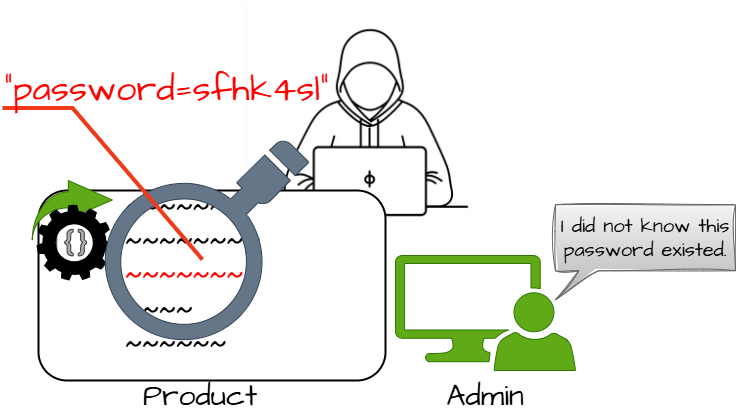
The product contains a hard-coded password, which it uses for its own inbound authentication or for outbound communication to external components.

Abstraction

Variant

Structure

Simple

Likelihood of Exploit

High

Understand the problem

What is the problem?

The product contains a hard-coded password, which it uses for its own inbound authentication or for outbound communication to external components.

Extended description

There are two main variations of a hard-coded password: ``` Inbound: the product contains an authentication mechanism that checks for a hard-coded password. Outbound: the product connects to another system or component, and it contains a hard-coded password for connecting to that component. ```

Root cause

How and when does the problem arise?

Lifecycle phase

Implementation

REALIZATION: This weakness is caused during implementation of an architectural security tactic.

Lifecycle phase

Architecture and Design

Risk

What does successful exploitation lead to?

Gain Privileges or Assume Identity

Affected security scopes: Access Control

If hard-coded passwords are used, it is almost certain that malicious users can gain access through the account in question.
Gain Privileges or Assume IdentityHide ActivitiesReduce Maintainability

Affected security scopes: Access Control

A hard-coded password typically leads to a significant authentication failure that can be difficult for the system administrator to detect. Once detected, it can be difficult to fix, so the administrator may be forced into disabling the product entirely.

Defence

How is it prevented and fixed?

Architecture and Design

Architecture and design approach

Detail
For outbound authentication: store passwords outside of the code in a strongly-protected, encrypted configuration file or database that is protected from access by all outsiders, including other local users on the same system. Properly protect the key (CWE-320). If you cannot use encryption to protect the file, then make sure that the permissions are as restrictive as possible.

Architecture and Design

Architecture and design approach

Detail
For inbound authentication: Rather than hard-code a default username and password for first time logins, utilize a "first login" mode that requires the user to enter a unique strong password.

Architecture and Design

Architecture and design approach

Detail
Perform access control checks and limit which entities can access the feature that requires the hard-coded password. For example, a feature might only be enabled through the system console instead of through a network connection.

Architecture and Design

Architecture and design approach

Detail
For inbound authentication: apply strong one-way hashes to your passwords and store those hashes in a configuration file or database with appropriate access control. That way, theft of the file/database still requires the attacker to try to crack the password. When receiving an incoming password during authentication, take the hash of the password and compare it to the hash that you have saved. Use randomly assigned salts for each separate hash that you generate. This increases the amount of computation that an attacker needs to conduct a brute-force attack, possibly limiting the effectiveness of the rainbow table method.

Architecture and Design

Architecture and design approach

Detail
For front-end to back-end connections: Three solutions are possible, although none are complete. ``` The first suggestion involves the use of generated passwords which are changed automatically and must be entered at given time intervals by a system administrator. These passwords will be held in memory and only be valid for the time intervals. Next, the passwords used should be limited at the back end to only performing actions valid for the front end, as opposed to having full access. Finally, the messages sent should be tagged and checksummed with time sensitive values so as to prevent replay style attacks. ```

Verification

How is it detected?

Manual Analysis

This weakness can be detected using tools and techniques that require manual (human) analysis, such as penetration testing, threat modeling, and interactive tools that allow the tester to record and modify an active session.

These may be more effective than strictly automated techniques. This is especially the case with weaknesses that are related to design and business rules.

Black Box

Use monitoring tools that examine the software's process as it interacts with the operating system and the network. This technique is useful in cases when source code is unavailable, if the software was not developed by you, or if you want to verify that the build phase did not introduce any new weaknesses. Examples include debuggers that directly attach to the running process; system-call tracing utilities such as truss (Solaris) and strace (Linux); system activity monitors such as FileMon, RegMon, Process Monitor, and other Sysinternals utilities (Windows); and sniffers and protocol analyzers that monitor network traffic. Attach the monitor to the process and perform a login. Using disassembled code, look at the associated instructions and see if any of them appear to be comparing the input to a fixed string or value.

Automated Static Analysis

High
Automated static analysis, commonly referred to as Static Application Security Testing (SAST), can find some instances of this weakness by analyzing source code (or binary/compiled code) without having to execute it. Typically, this is done by building a model of data flow and control flow, then searching for potentially-vulnerable patterns that connect "sources" (origins of input) with "sinks" (destinations where the data interacts with external components, a lower layer such as the OS, etc.)

MITRE diagram

Weakness relationships and flow
CWE-259 MITRE diagramı